Scan results
View and manage your scan results and audit trail.
Overview
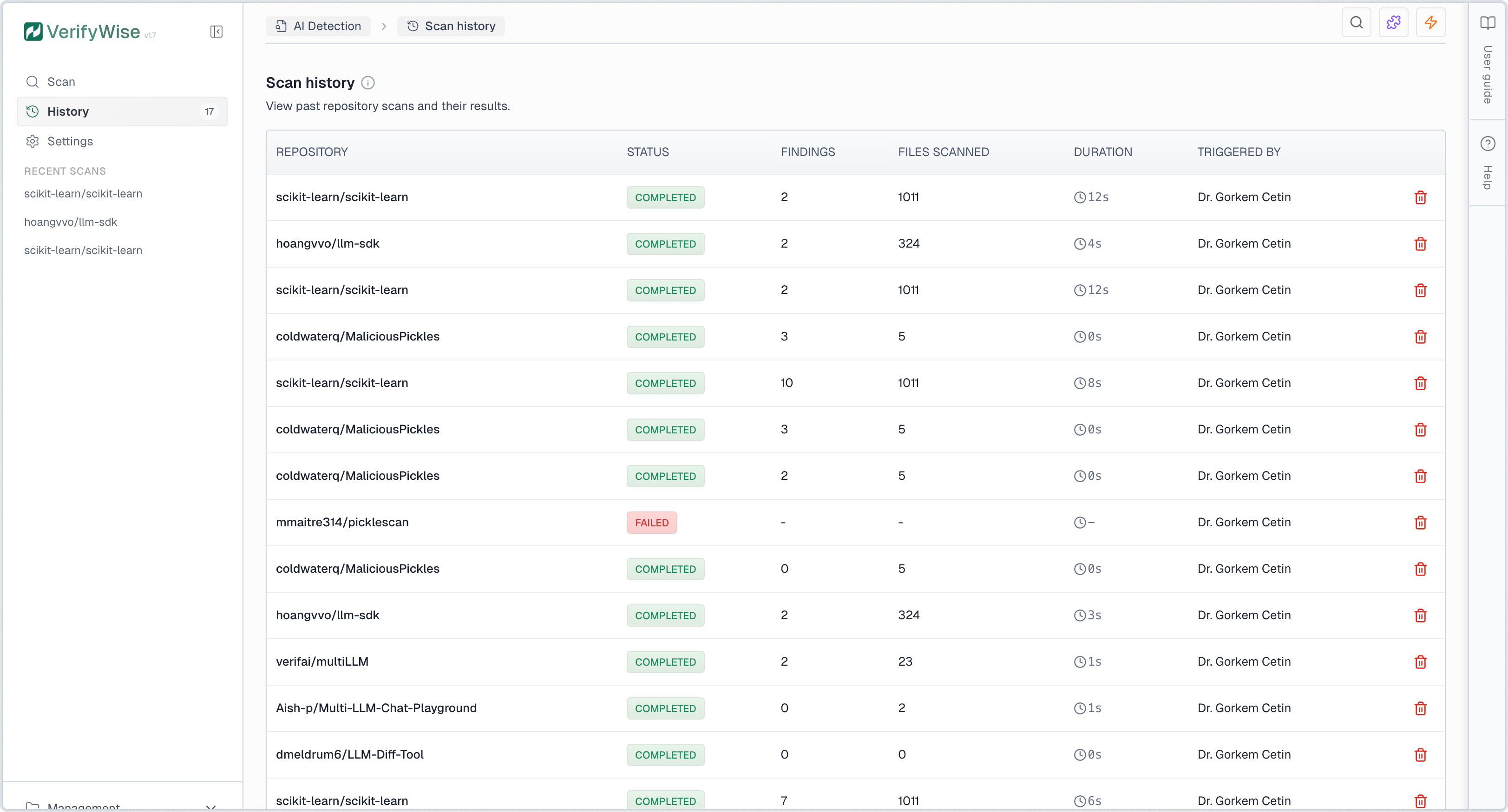
The scan results page maintains a complete record of all repository scans performed by your organization. Each scan record is preserved indefinitely for audit purposes, providing a defensible trail of AI governance activities.
Results table
The results table displays all scans with the following information:
- Repository: Owner and name of the scanned repository
- Status: Current state — Completed, Failed, Cancelled, or Scanning
- Risk score: AI Governance Risk Score grade (A–F) and numeric score if calculated
- Findings: Total number of detections including libraries, API calls, secrets, and security issues
- Files scanned: Total source files analyzed
- Duration: Time taken to complete the scan
- Triggered by: User who initiated the scan, or "Scheduled" for automated scans
Click any completed scan row to view its full results, including risk score details, library findings, API calls, detected secrets, and security vulnerabilities.
Scan status
Each scan has one of the following statuses:
Completed
Scan finished successfully. Results are available for review.
Scanning
Scan is currently in progress.
Failed
Scan encountered an error. Check error message for details.
Risk score column
The risk score column shows the AI Governance Risk Score for each completed scan. A letter grade badge (A through F) appears alongside the numeric score. Scans without a calculated score show a dash. To generate a score, open the scan details page and click Calculate risk score.
Sorting, filtering, and search
Click any column header to sort the table by that column. Use the filter button to narrow results by status, repository, or triggered-by user. The search box filters results by repository name in real time. The table supports pagination for organizations with extensive scan results.
Managing scan results
You can delete individual scan records by clicking the trash icon in the actions column. Deletion is permanent and removes all associated findings. Consider exporting or documenting important results before deletion.
Rescanning repositories
To rescan a previously analyzed repository, navigate to the scan results page and click Rescan. This creates a new scan record while preserving the original for comparison. Alternatively, start a new scan from the Scan page with the same repository URL, or configure a scheduled scan from the Repositories page.